A temperature blanket doesn't have to be about temperature. Track the rainy days, a snowy winter, or the days getting longer and shorter, on their own or alongside temperature.
1. Add a Gauge
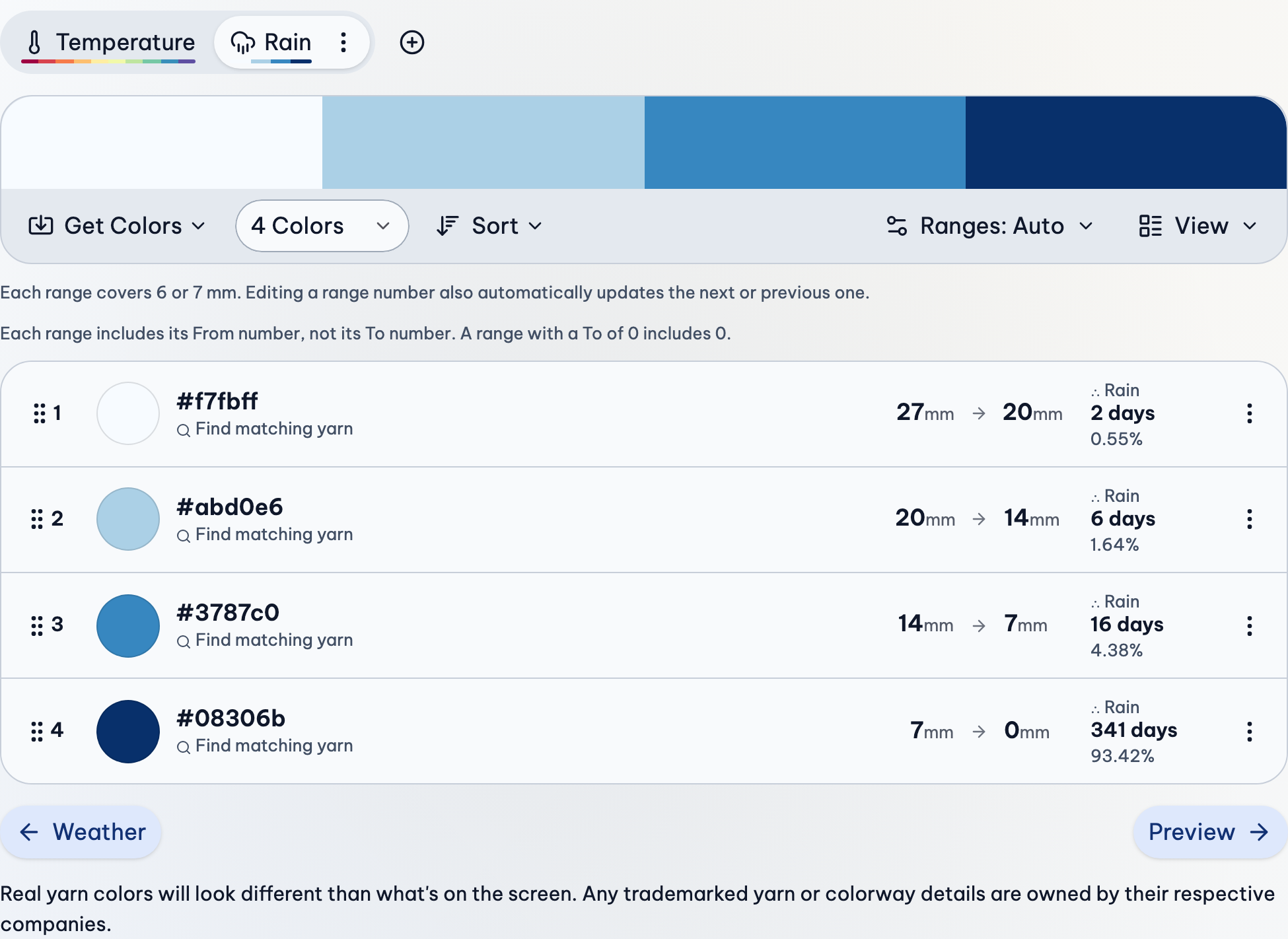
Each kind of weather has its own gauge: its own colors and ranges.
- Get the weather for your place and dates, as usual.
- Above the gauge's colors, after your gauges, press + (Add Gauge) and choose Rain Gauge, Snow Gauge, Daytime Gauge or Moon Phase Gauge. It lists the ones your weather has data for that aren't in your project yet.
- Choose its colors and ranges, just like the temperature gauge.
2. Use It in the Preview
A gauge only colors your blanket once the preview uses it. Below the preview:
- Find Color Each Row Using the Day's (the wording differs a little by pattern).
- Choose Rain, Snow, Daytime or Moon Phase instead of a temperature.
Choose more than one to split each row or square between them, like the high temperature on one half and rain on the other. Square and hexagon patterns let you choose what each round shows.
Rain and Snow
- Most days have no rain or snow at all, so one color does most of the work. Choose it carefully: it's the background of your blanket.
- Ranges never go below 0, and the last one includes 0, so dry days have a color.
- Ranges that suit rain are often small and uneven, like 0 → 1, 1 → 5, 5 → 15. Press a range's number to change it.
- Snow depends on the weather source: Open-Meteo gives how much snow fell, Meteostat how deep it was on the ground. Use the same source for every location.
Daylight
The Daytime Gauge uses how long each day is, from sunrise to sunset (in minutes in metric, hours in imperial), not how sunny it was. It makes a smooth wave over a year, darkest in winter.
Or try the Daytime Rows pattern: it splits each row into day and night stitches by the length of the day, and colors each part with weather you choose, like the high temperature for the day and the low for the night.
The Moon
The Moon Phase Gauge has eight colors, one for each phase. Its ranges are fixed; you only choose the colors.
If Something Goes Wrong
The gauge I want isn't there
A gauge shows only when the weather has what it needs. Try the other weather source in Weather Source.
"Error: Mixed Parameters"
Some locations have snow from Meteostat and others from Open-Meteo, which measure it differently. Choose Open-Meteo, and turn off trying the other source. More about this error.
My blanket is nearly all one color
That's a dry place, or a dry year. Make the 0 range a color you love, or add more small ranges at the low end.
More Detail
- Gauges & Ranges: Gauges, their ranges, and every option in the Ranges menu, explained.
- Preview: Preview patterns, their settings, your progress, and seasons.
- Weather: Where the weather comes from, and how to view, group, edit and import it.