A birthday in every year since someone was born, or your wedding day in each year since: one row or square for the same date, year after year. The Project Planner wasn't made for this, so it takes some setting up, but it works.
What You Need
- The place, and the date.
- The years: up to 200, since each year is its own location. Weather goes back to 1940.
- Some patience. Each year is set up by hand, and searching for many of them takes a while.
Set Up the Years
- Choose your place from the list, as usual.
- Set Duration to Custom.
- Set both From and To to the date in the first year, like March 10, 1985. It shows 1 Day.
- Press Add another location under the dates. A new, empty location appears below.
- Choose the same place again, set it to Custom, and set From and To to the same date in the next year.
- Repeat for every year, then press Search.
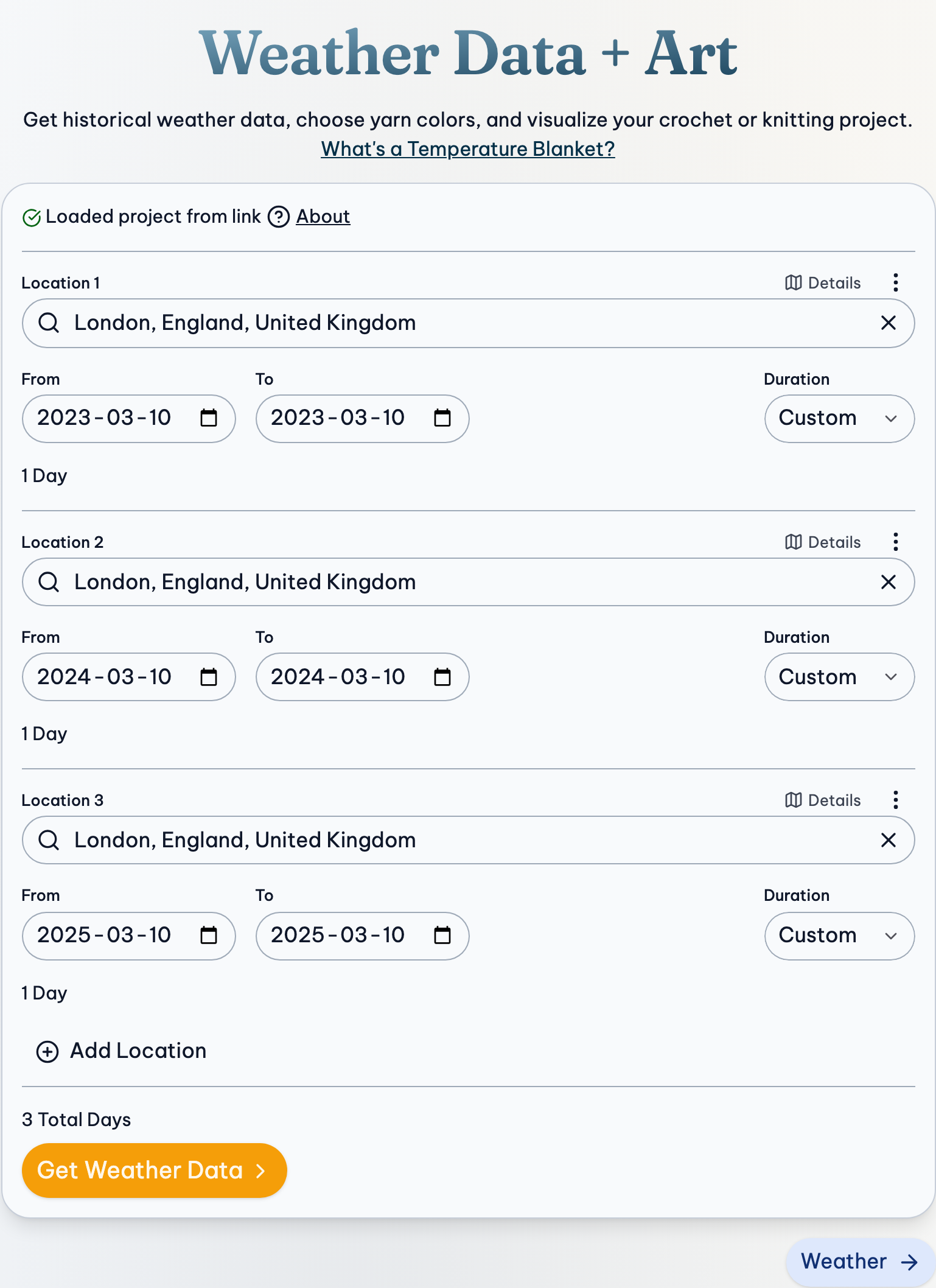
The years come one after the other in the order you added them, so add the earliest first.
Save It Straight Away
Press Project, then Save Project, so you never have to set up the years again. Then choose your colors and preview as with any project.
A short project is a good fit for patterns made of pieces: try Squares or Hexagons for one square or hexagon a year.
If Something Goes Wrong
A year is missing in the middle
Locations can't be reordered. Remove the ones after the gap (Remove beside each one's number of days) and add them again in order, or leave it: a blanket of dates doesn't have to be in order.
Searching is slow, or fails
Each year is a separate search. Give it time, and if it fails, press Get Weather Data again in a few minutes.
An early year has no weather
Weather starts in 1940, and Meteostat often starts later. Use Open-Meteo in Weather Source.
More Detail
- Location & Dates: Choosing places and dates, and what to do when one is not found.
- Weather: Where the weather comes from, and how to view, group, edit and import it.
- Preview: Preview patterns, their settings, your progress, and seasons.