Start from the yarn: a stash you want to use up, a brand you love, or a photo whose colors you want in your blanket.
Use a Yarn You Can Buy
- In the gauge, press Get Colors, then Choose Colorways.
- Choose your yarn under Yarn Name: type part of its name to find it.
- Press colorways to add them, in order. They line up in the strip at the bottom. To find a color, type it in Search by Color, like "sage" or #9CAF88.
- Press Save.
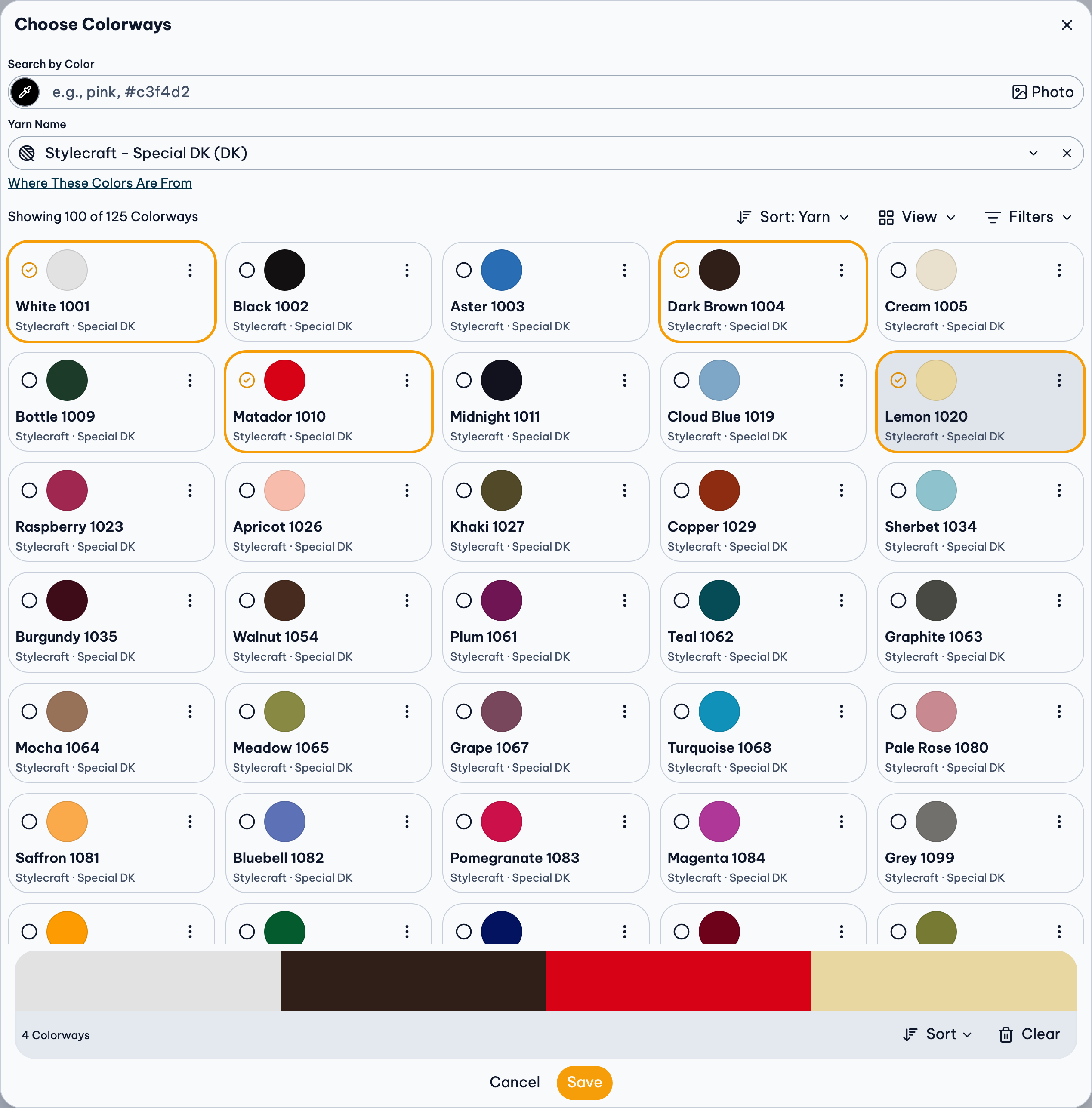
Yarn missing? Ask for it to be added.
Match Yarn You Already Have
Don't know a skein's colorway name? Match it by eye, with a photo:
- Take a photo of your yarn in daylight, without a filter.
- In the gauge, press the swatch of the color it should replace.
- Pick the color from your photo with the image button beside the color field. Colorways are listed by Best match, each with how close it is (like 92% match).
- Choose the closest one, and press Save.
The Yarn Colorway Finder does the same across every brand, without a project.
Take the Colors From a Photo
A sunset, a garden, a favorite painting:
- Press Get Colors, then From an Image, and choose Your Photo. It stays on your device.
- Press Auto, tap the photo to pick colors, or Draw a Line across it.
- For yarn instead of exact colors, press Yarn, turn on Match to Yarn Colors, and choose a yarn (or any yarn of a weight). Each color shows its closest colorway, with other close yarns to swap in.
- Press Save.
Colors First, Yarn Later
Already chose colors that aren't yarn? A color without one says Find matching yarn under its name. Press it to see colorways closest to it, best match first.
Or plan a palette before you have a place or dates, in the Yarn Palette Creator. When you're ready, press Palette, then Start a Project with It.
Find Palettes in Your Yarn
Other people's palettes are in Get Colors, Palette Gallery. To see only those in your yarn:
- Press Filters, and choose your yarn.
- Check Only followed by your yarn's name (like Only Stylecraft Special DK), so every color is that yarn, not just some.
The same filter is in My Library and the Gallery.
If Something Goes Wrong
The yarn looks different in person
Every screen shows colors a little differently, and each colorway is one average color of what's often a mix. Check the real yarn before you buy a lot. About the yarn colors.
A shop link says it's unavailable
Link Unavailable explains why, and where to look instead.
The same yarn keeps coming up
That's your default yarn. Change it in Preferences.
More Detail
- Colors & Yarn: Getting colors, choosing yarn colorways, and sorting, pasting and exporting them.
- Yarn Palette Creator: Making yarn palettes on their own: from colorways, gradients or a photo.
- Explore: The Yarn Colorway Finder, the Globe and the Weather page.